OS Upgrades
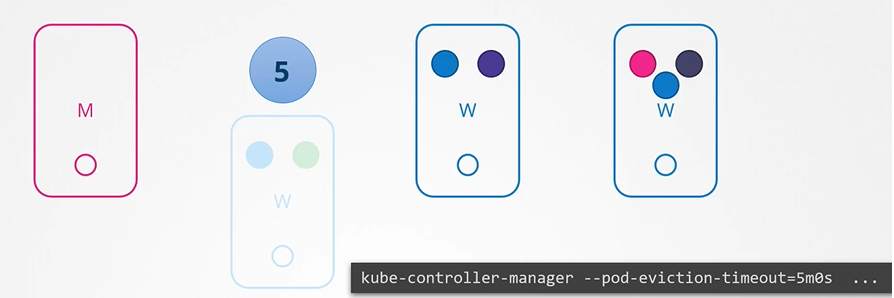
If the node was down for more than 5 minutes, then the pods are terminated from that node
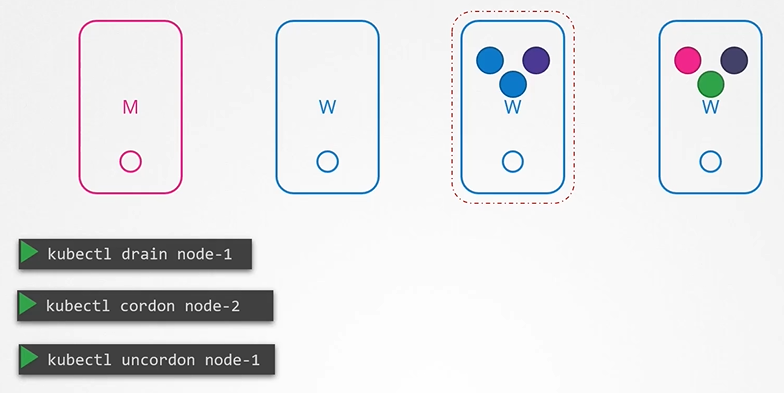
You can purposefully drain the node of all the workloads so that the workloads are moved to other nodes.
$ kubectl drain node-1The node is also cordoned or marked as unschedulable. When the node is back online after a maintenance, it is still unschedulable. You then need to uncordon it.
$ kubectl uncordon node-1There is also another command called cordon. Cordon simply marks a node unschedulable. Unlike drain it does not terminate or move the pods on an existing node.
We can see the Kubernetess version that we installed
$ kubectl get nodes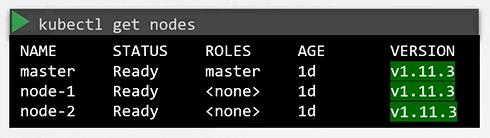
Downloaded package has all the Kubernetes components in it except ETCD Cluster and CoreDNS as they are seperate projects.
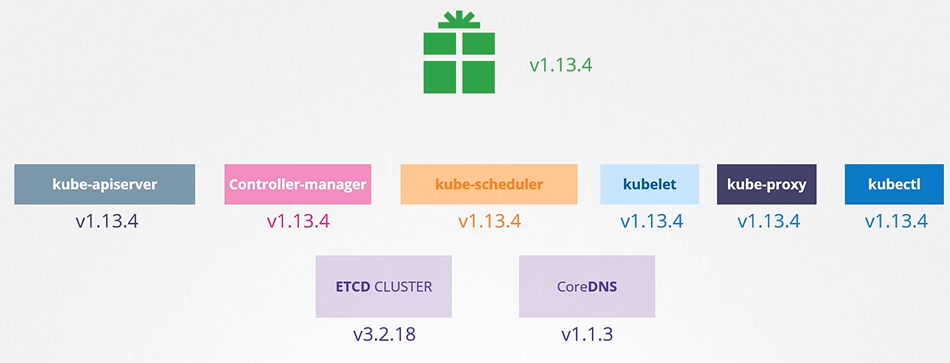
Cluster Upgrade
Is it mandatory for all of the Kubernetes components to have the same versions? No, The components can be at different release versions.
At any time, Kubernetes supports only up to the recent 3 minor version. The recommended approach is to upgrade one minor version at a time.
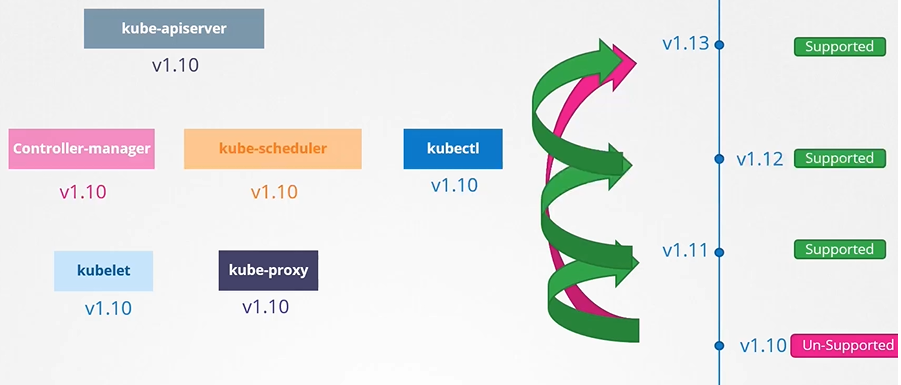
Options to upgrade k8s cluster
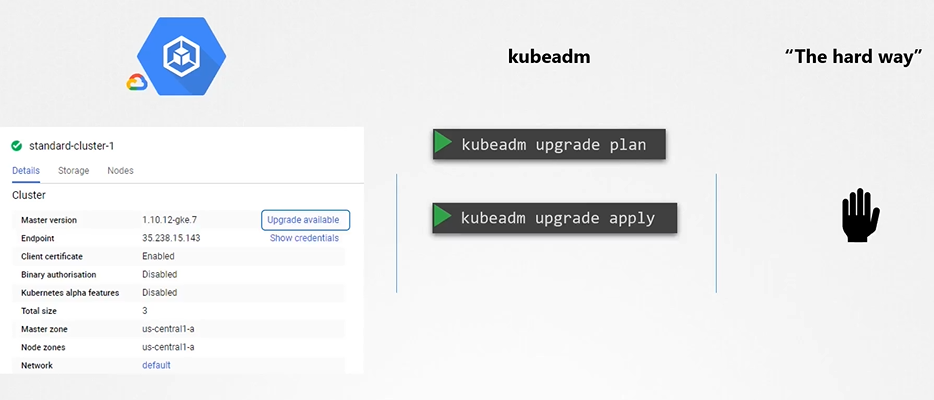
Upgrading a cluster involves 2 major steps:
- There are different strategies that are available to upgrade the worker nodes
- One is to upgrade all at once. But then your pods will be down and users will not be able to access the applications.
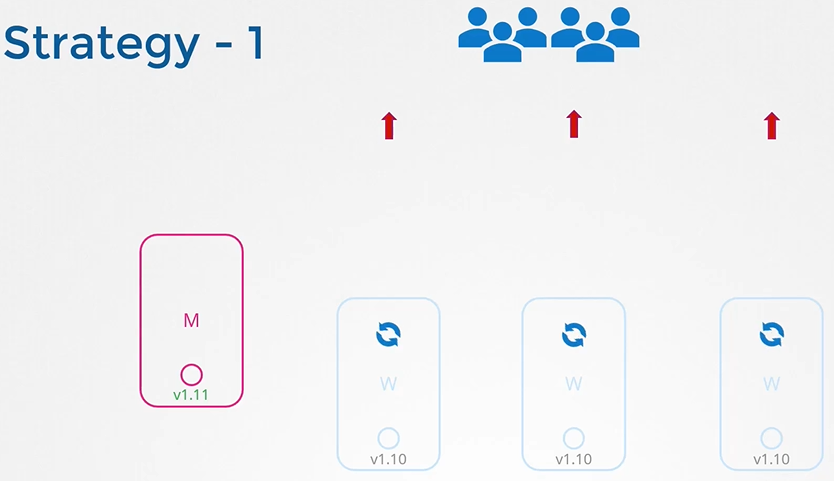
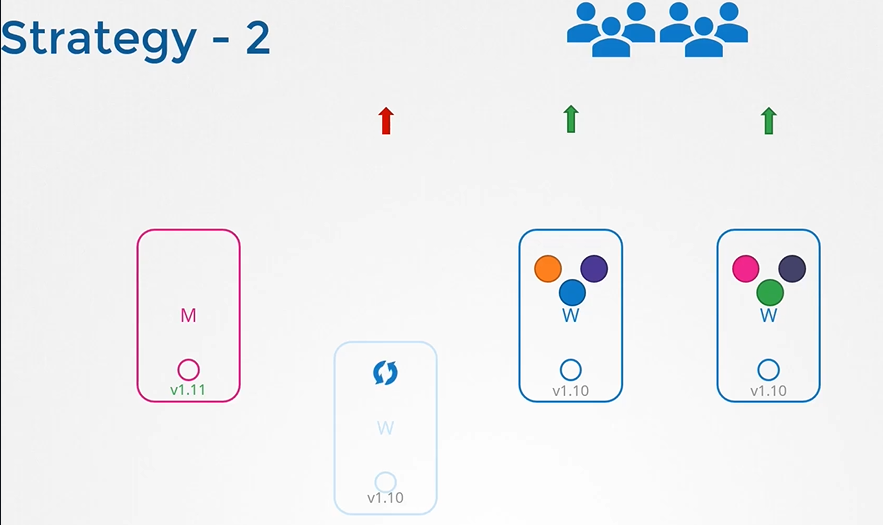
Second one is to upgrade one node at a time.
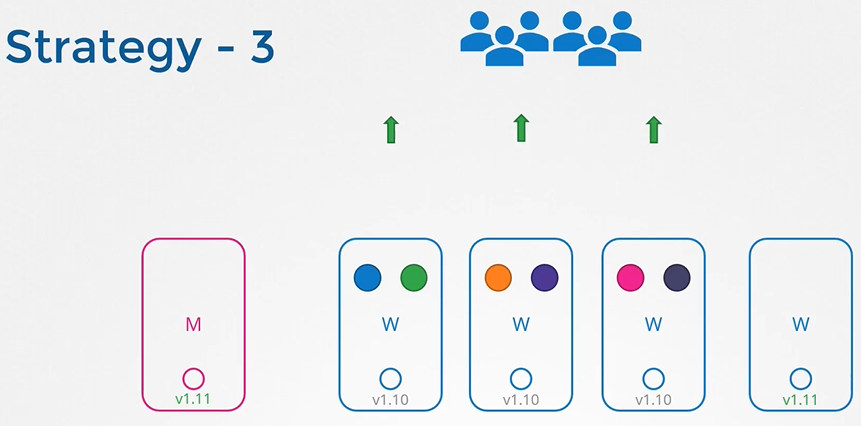
Third one would be to add new nodes to the cluster
Upgrading master node
kubeadm has an upgrade command that helps in upgrading clusters.
$ kubeadm upgrade plan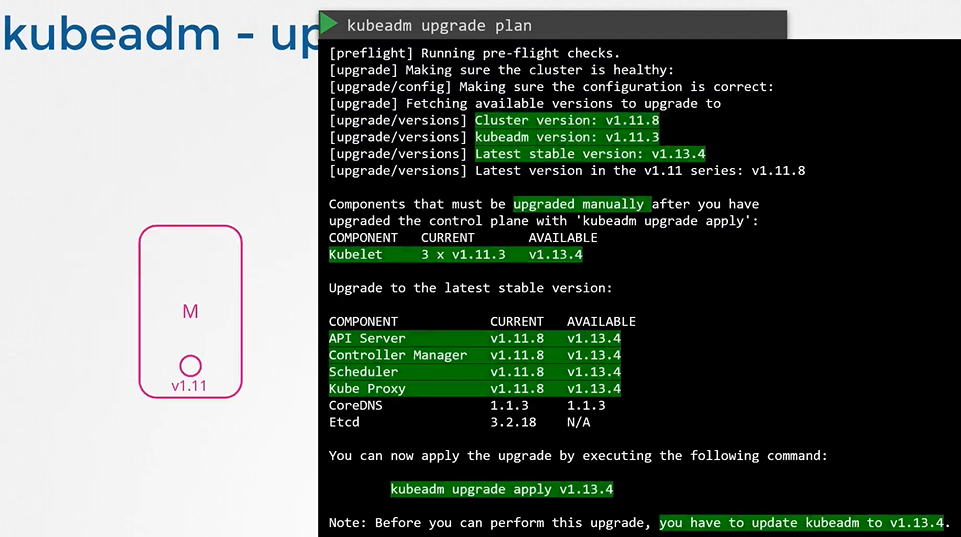
Upgrade kubeadm from v1.11 to v1.12
$ apt-get upgrade -y kubeadm=1.12.0-00Upgrade the cluster
$ kubeadm upgrade apply v1.12.0If you run the ‘kubectl get nodes’ command, you will see the older version. This is because in the output of the command it is showing the versions of kubelets on each of these nodes registered with the API Server and not the version of API Server itself
$ kubectl get nodes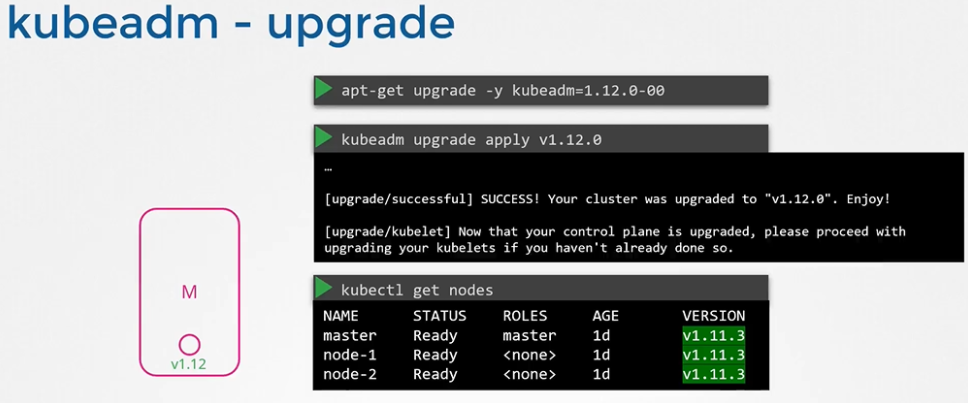
Upgrade ‘kubelet’ on the master node
$ apt-get upgrade kubelet=1.12.0-00Restart the kubelet
$ systemctl restart kubeletRun ‘kubectl get nodes’ to verify
$ kubectl get nodes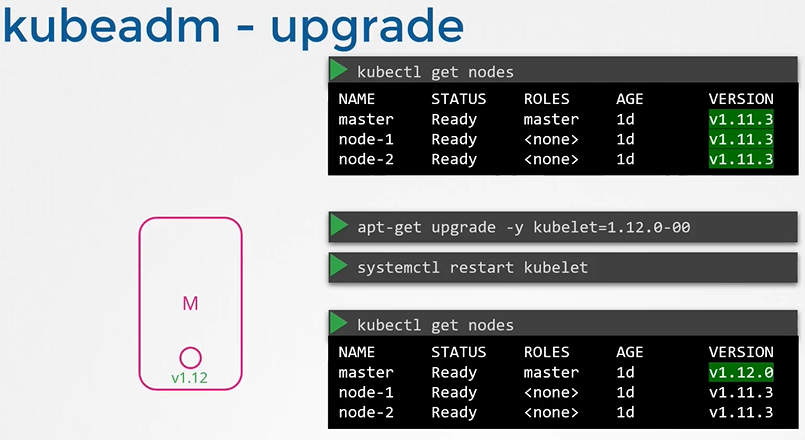
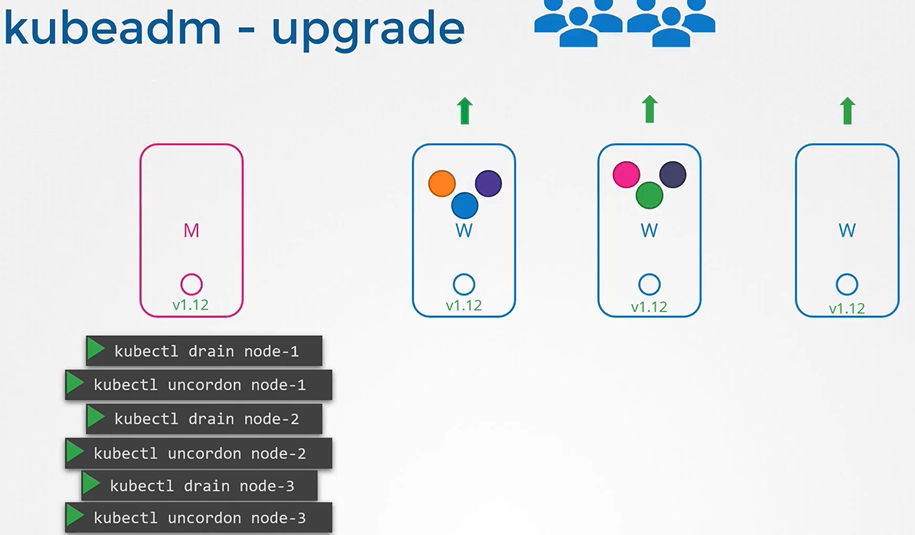
kubeadm - Upgrade worker nodes
From master node, run ‘kubectl drain’ command to move the workloads to other nodes
$ kubectl drain node-1Upgrade kubeadm and kubelet packages
$ apt-get upgrade -y kubeadm=1.12.0-00
$ apt-get upgrade -y kubelet=1.12.0-00
Update the node configuration for the new kubelet version
$ kubeadm upgrade node config --kubelet-version v1.12.0Restart the kubelet service
$ systemctl restart kubeletMark the node back to schedulable
$ kubectl uncordon node-1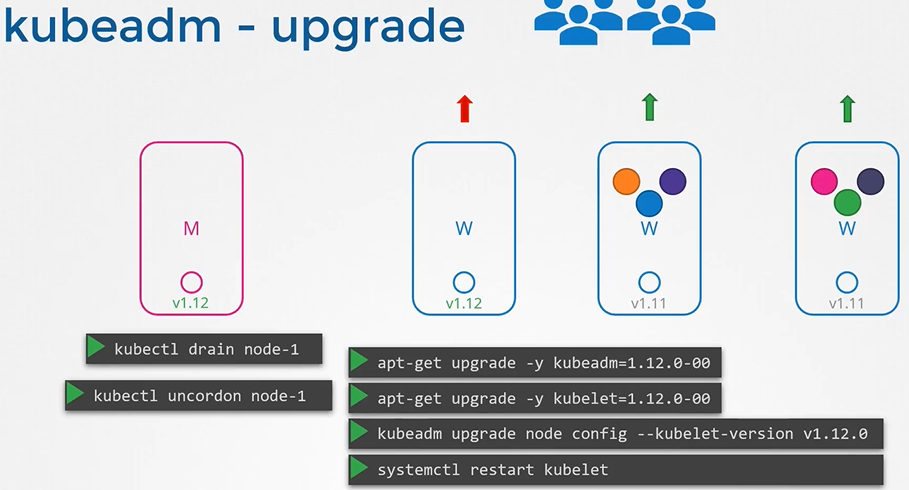
Upgrade all worker nodes in the same way