Run to completion
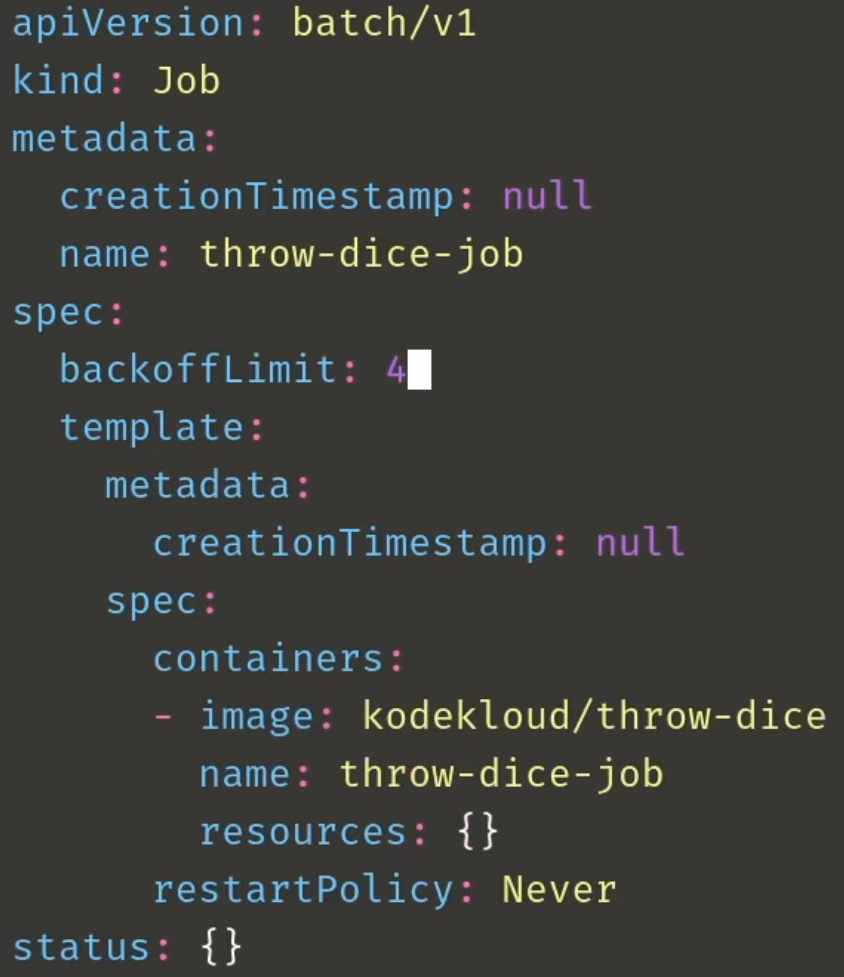
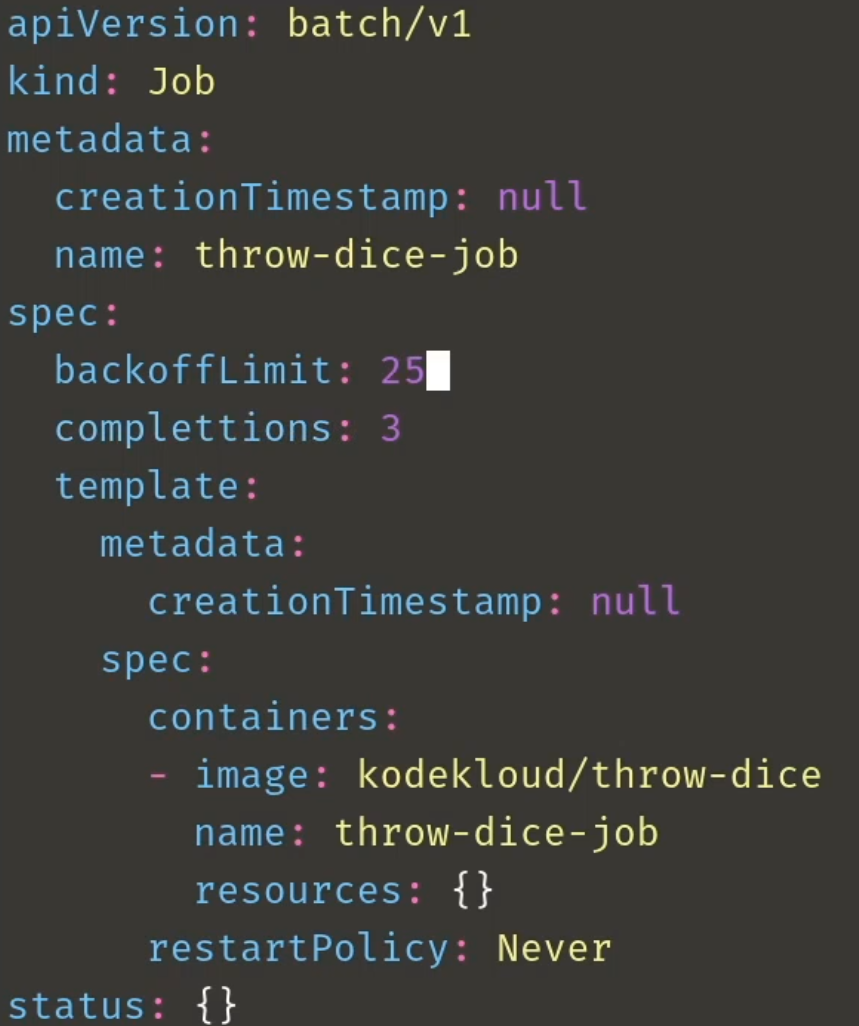
Pods are typically designed to run indefinitely. If you need a Pod that runs until it completes a task, use a Job instead.
- Jobs are ideal for tasks like backups, calculations, or batch processing.
- To automatically clean up completed Jobs, set
spec.ttlSecondsAfterFinished.
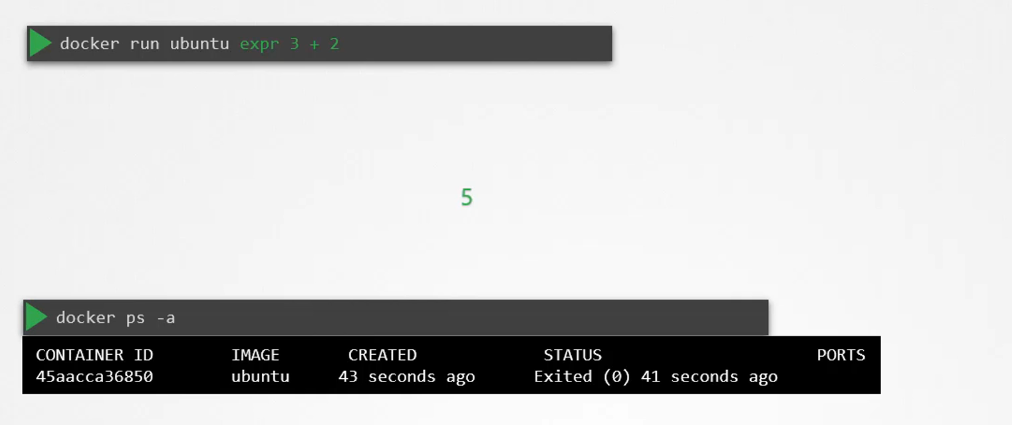
Run to completion in Docker
In Docker, when the container finishes it’s process it exits and marks it as complete.
Run to completion in K8s
When a pod is created, it runs a container, completes the task, and exits, putting the pod into a completed state. However, Kubernetes then recreates the container, attempting to keep it running. The container completes the task again and exits, and Kubernetes keeps restarting it. This cycle continues until a threshold is reached.
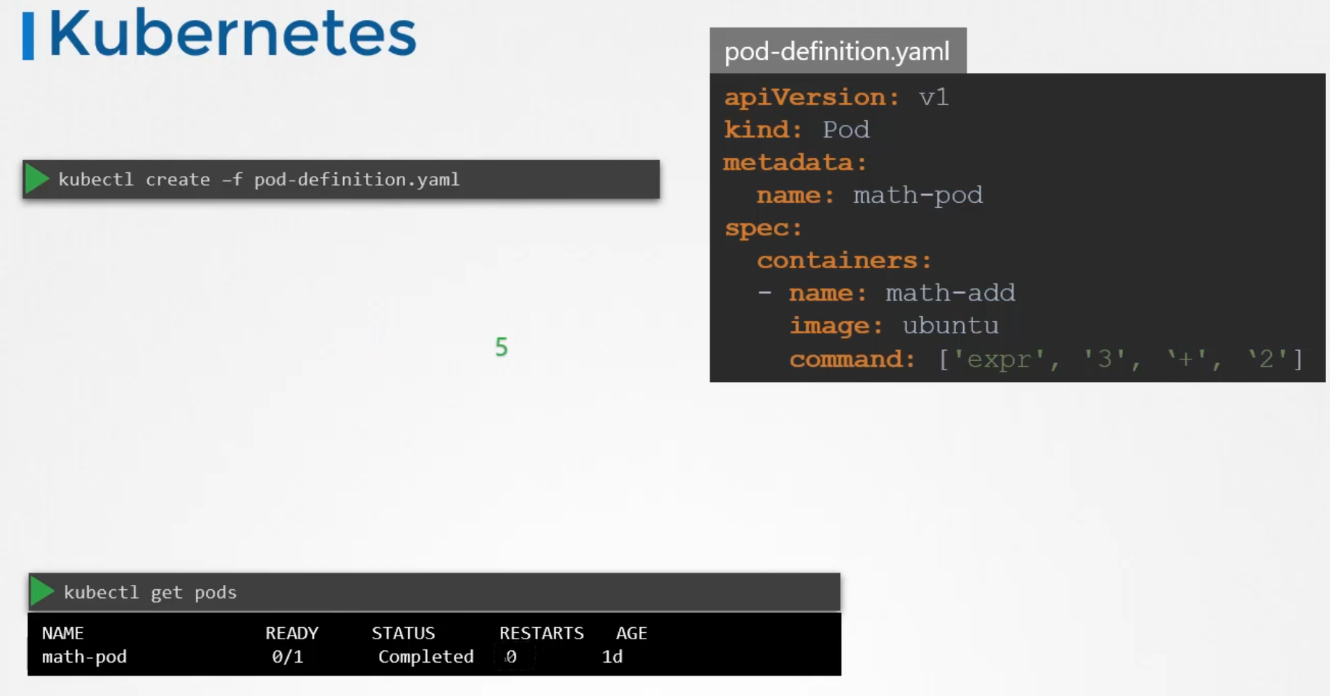
Why does this happen? Kubernetes is designed to keep your applications running indefinitely. By default, the pod’s restart policy is set to “Always,” meaning it will restart the container whenever it exits.
To prevent this, you can change the restart policy to “Never” or “OnFailure.” This ensures Kubernetes won’t restart the container once the task is completed.
Job
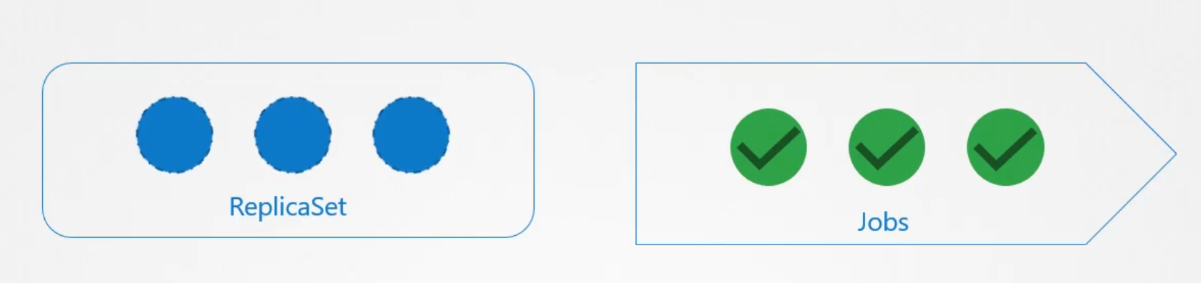
A ReplicaSet ensures that a specified number of pods are always running, while a Job is used to run a set of pods that perform a task until completion.
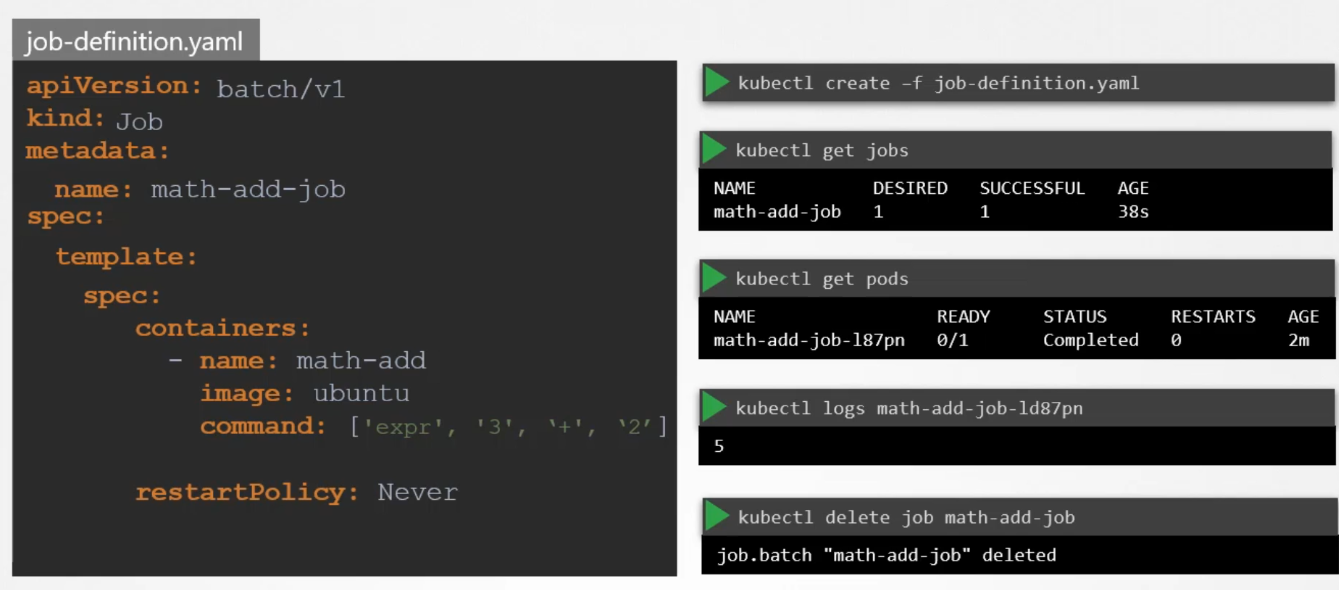
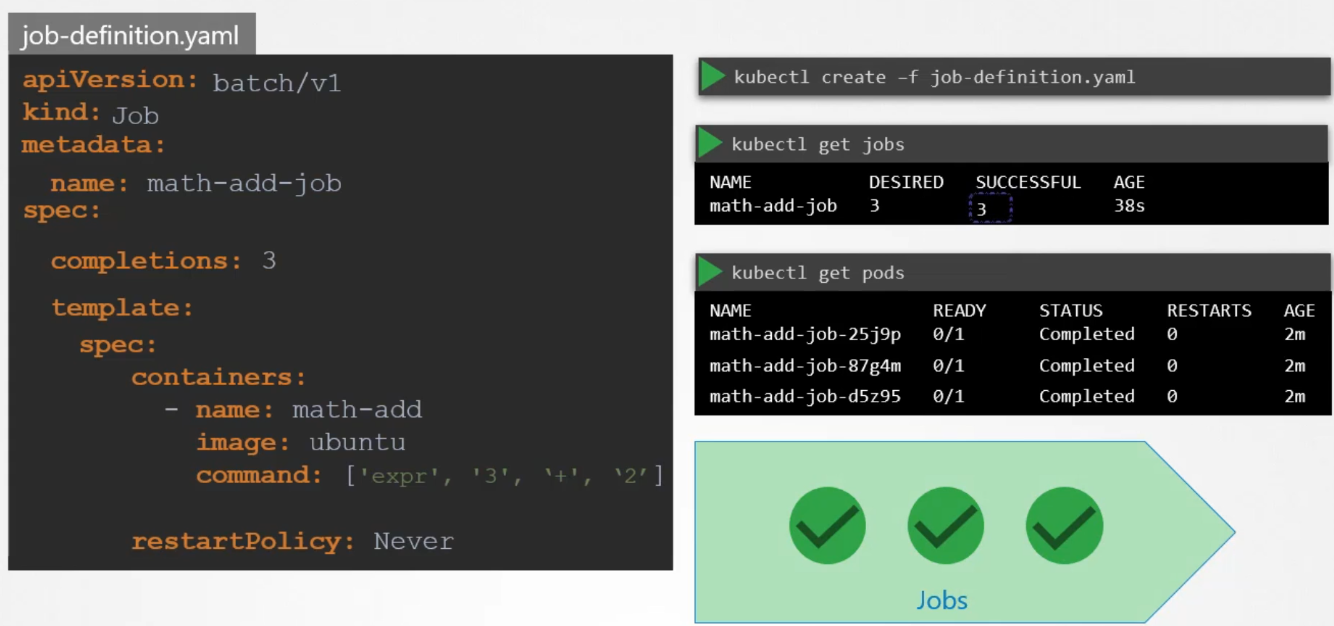
apiVersion: batch/v1
kind: Job
metadata:
  name: math-add-job
spec:
  completions: 3
  template:
    spec:
      containers:
      - name: math-add
        image: ubuntu
        command: ['expr', '3', '+', '2']
      restartPolicy: Never
  backoffLimit: 4
By default, pods in a Job are created one after another. The second pod starts only after the first finishes. Simple enough, but what happens if a pod fails?
Failure in Job
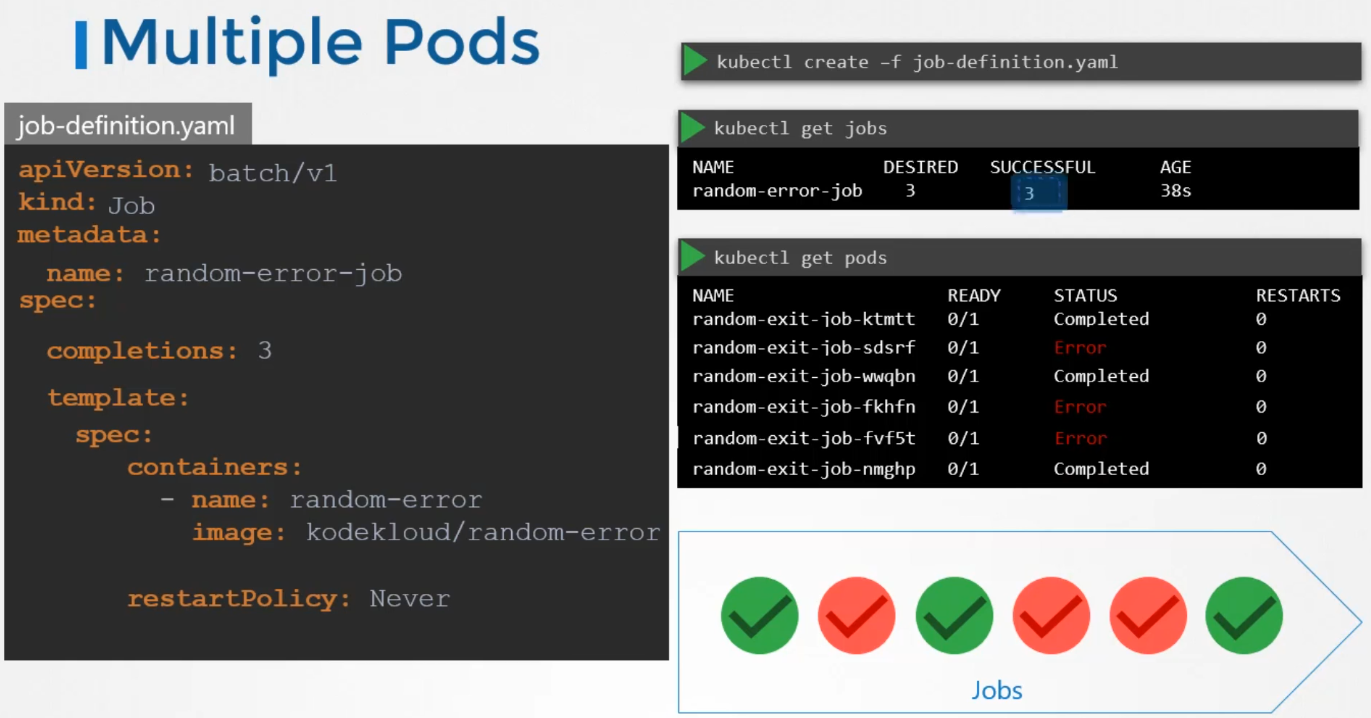
For example, let’s create a Job using a Docker image called “Random Error,” which randomly succeeds or fails. When the Job is created:
- The first pod completes successfully.
- The second pod fails, so Kubernetes creates a third pod.
- The third pod completes successfully, but the fourth and fifth fail.
Kubernetes will keep creating new pods until the Job reaches three successful completions, which completes the Job.
Parallelism
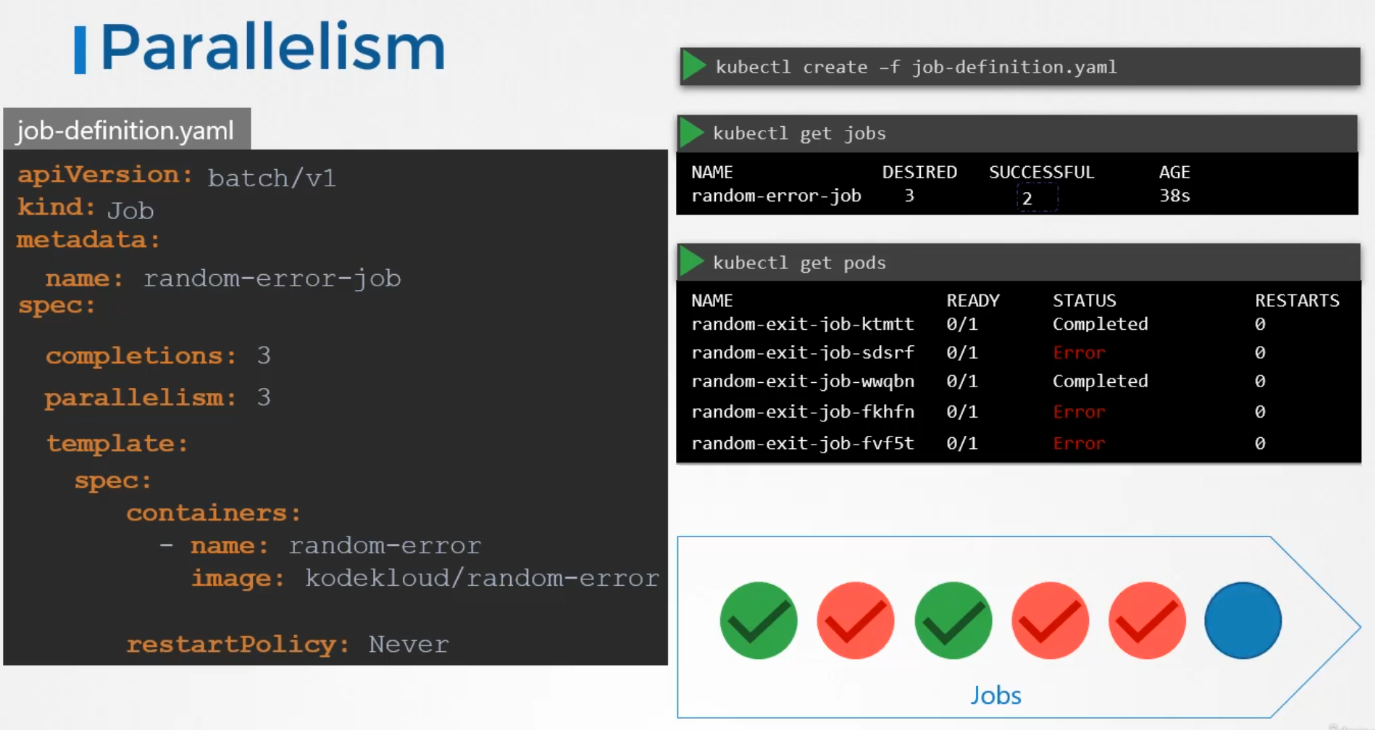
To create pods in parallel instead of sequentially, you can add a parallelism property to the Job specification. For instance, setting parallelism: 3 will create three pods at the same time. If two of the three complete successfully, Kubernetes will only create one additional pod at a time until there are a total of three successful completions.
THE FIRST ATTEMPT was 3 container at the same time. That is why they call this parallelism
apiVersion: batch/v1
kind: Job
metadata:
  name: math-add-job
spec:
  completions: 3
  parallelism: 3
  template:
    spec:
      containers:
      - name: math-add
        image: ubuntu
        command: ['expr', '3', '+', '2']
      restartPolicy: Never
  backoffLimit: 4
Cron job
A CronJob is like a regular Job, but it can be scheduled to run at specific times, similar to how you use Crontab in Linux. For example, if you have a job that generates a report and sends an email, you could create it using the kubectl create command, but that would run it immediately. Instead, you can use a CronJob to schedule it to run periodically.
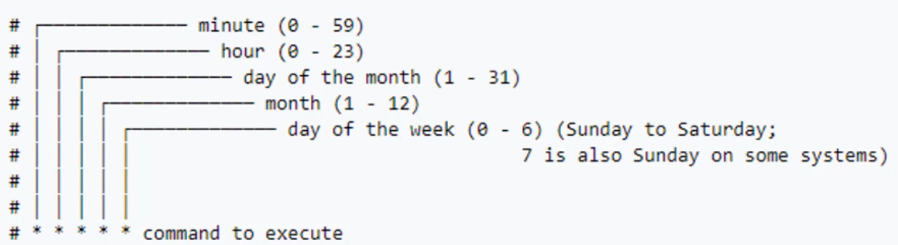
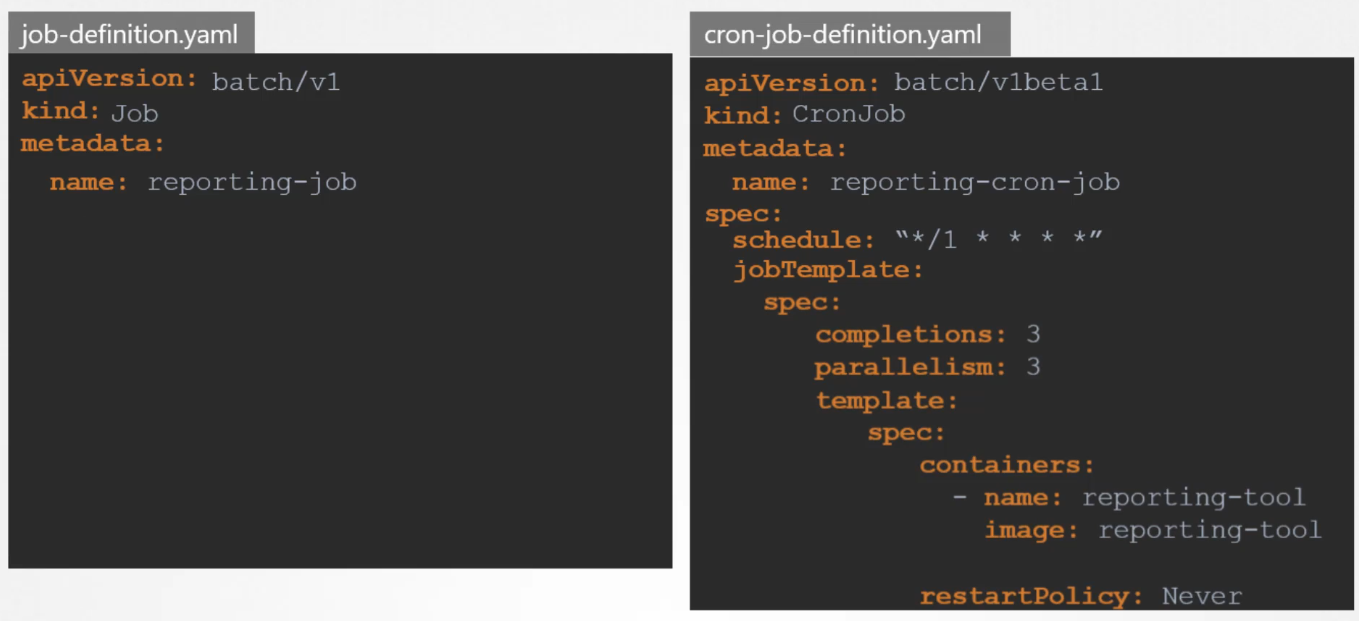
In the spec section, you specify the schedule using a Cron-like format string, which defines when the job should run. Then, in the jobTemplate section, you include the actual Job definition, moving all content from the Job’s spec section here.
 Note that the
 CronJob file can become a bit complex since it will now have three spec sections:
- One for the CronJob.
- One for the Job.
- One for the Pod.
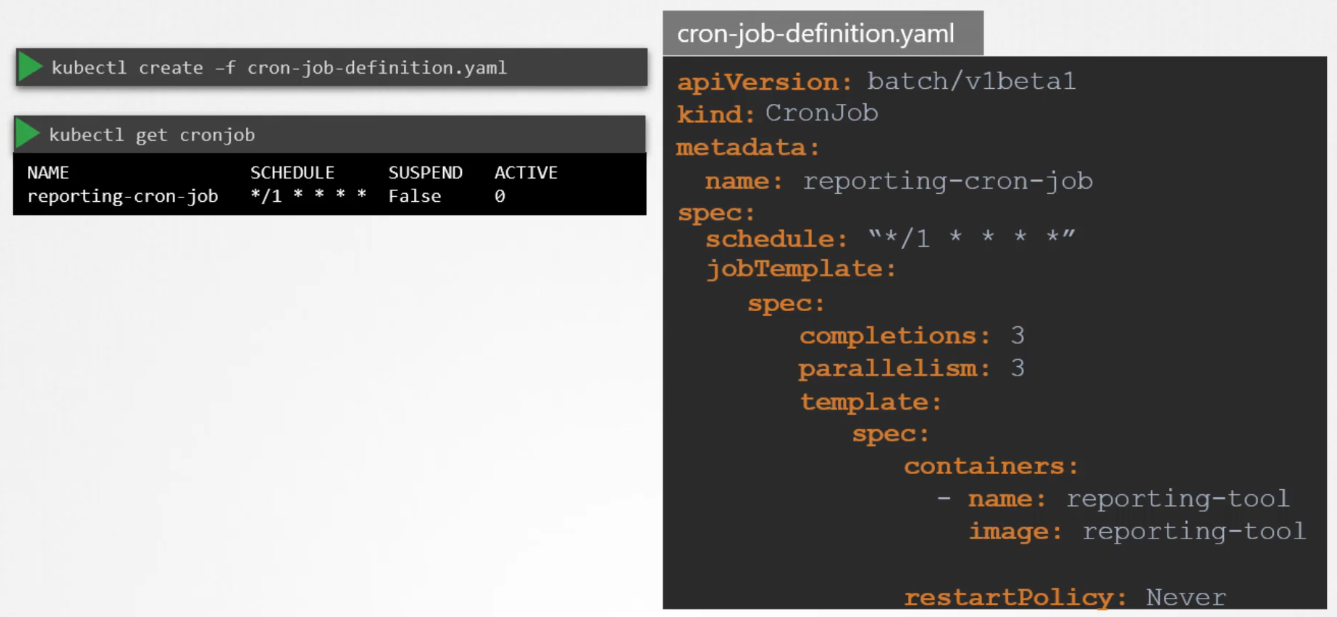
Once the file is ready, use the kubectl create command to create the CronJob, and kubectl get cronjob to see the newly created job. The CronJob will handle creating the necessary Jobs and Pods based on your schedule.
Practice