ETCD
ETCD is a distributed reliable key-value store that is simple, secure & Fast. The ETCD Datastore stores information regarding the cluster such as
Nodes,PODS,Configs,Secrets,Accounts,Roles,BindingsandOthers. Every information you see when you run thekubectl getcommand is from theETCD Server.
[manual] Install etcd
Its easy to install and get started with ETCD.
Download the relevant binary for your operating system from github releases page (https://github.com/etcd-io/etcd/releases)
# For Example: To download ETCD V3.3.11, run the below curl command
$ wget -q --https-only "https://github.com/etcd-io/etcd/releases/download/v3.3.11/etcd-v3.3.11-linux-amd64.tar.gz"
Extract it.
$ tar xvzf etcd-v3.3.11-linux-amd64.tar.gzRun the ETCD Service
$ ./etcdWhen you start ETCD it will by default listens on port 2379. The default client that comes with ETCD is the etcdctl client. You can use it to store and retrieve key-value pairs.
# Syntax: To Store a Key-Value pair
$ ./etcdctl set key1 value1
# Syntax: To retrieve the stored data
$ ./etcdctl get key1# Syntax: To view more commands. Run etcdctl without any arguments
$ ./etcdctl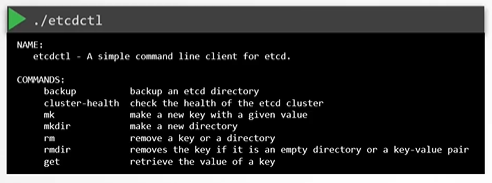
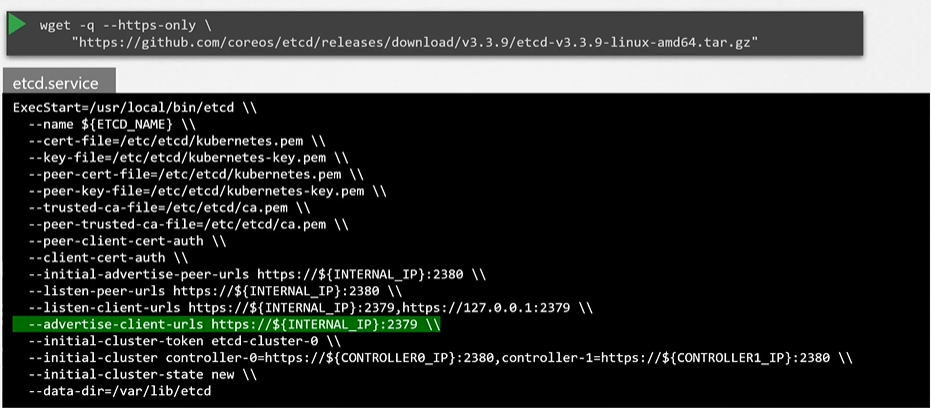
[kubeadm] Install etcd
If you setup your cluster using
kubeadmthen kubeadm will deploy etcd server for you as a pod inkube-systemnamespace.
$ kubectl get pods -n kube-system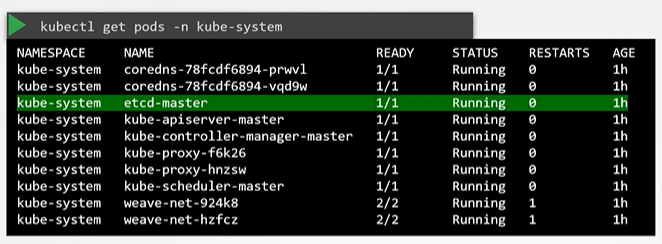
Explore ETCD
To list all keys stored by Kubernetes, run the below command
$ kubectl exec etcd-master -n kube-system etcdctl get / --prefix -key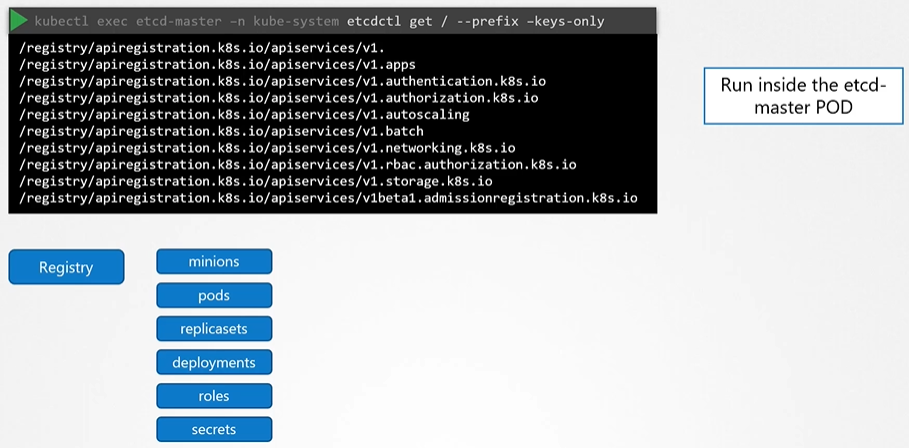
ETC in HA Environment
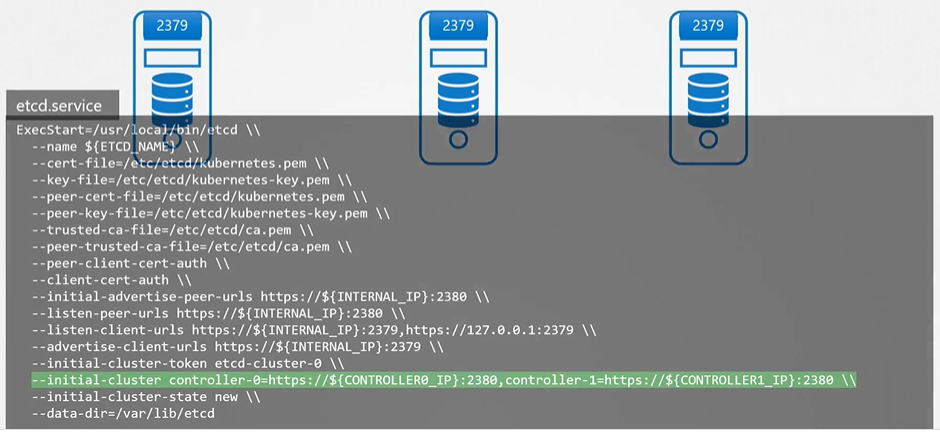
- In a high availability environment, you will have multiple master nodes in your cluster that will have multiple ETCD Instances spread across the master nodes.
- Make sure etcd instances know each other by setting the right parameter in the
etcd.serviceconfiguration. The--initial-clusteroption where you need to specify the different instances of the etcd service.
ETCD Commands
For example ETCDCTL version 2 supports the following commands:
etcdctl backup
etcdctl cluster-health
etcdctl mk
etcdctl mkdir
etcdctl set
Whereas the commands are different in version 3
etcdctl snapshot save
etcdctl endpoint health
etcdctl getetcdctl put
To set the right version of API set the environment variable ETCDCTL_API command
export ETCDCTL_API=3