K8s probe types
-
Liveness Probe:
Checks if the container is alive.
👉 If this fails, Kubernetes will restart the container.
✅ Most important probe. -
Readiness Probe:
Checks if the container is ready to receive traffic.
👉 Used to decide whether to send traffic to the container (e.g., via a Service).
✅ Only needed if your app is exposed to users or other services. -
Startup Probe:
Checks if the container is still starting up.
👉 Helps avoid killing slow-starting apps.
🧪 Introduced as alpha in Kubernetes 1.16.
Pod status
- Pending: If a pod stuck at pending, running
k describe pod <pod-name>will tell the reason. - Container creating: is when pod is schedule and image is being pulled
- Running
Pod conditions
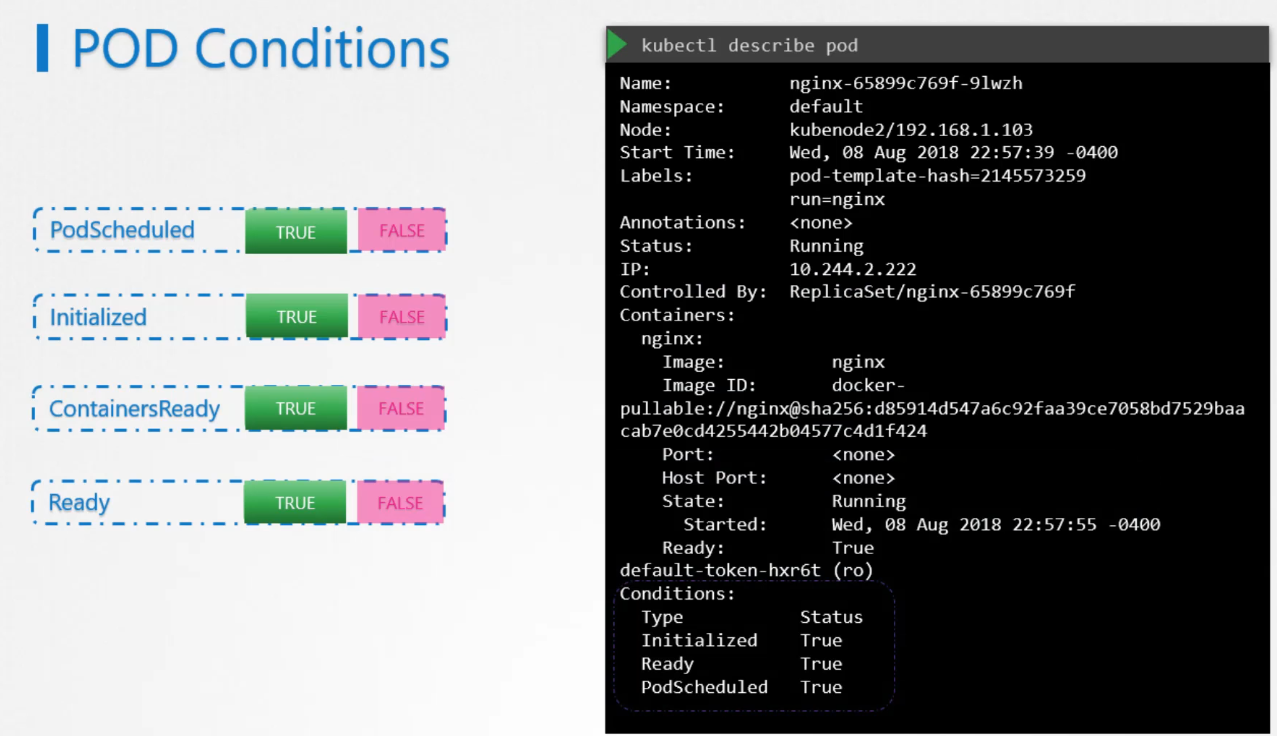
Pod conditions are additions that complement pod status. More information about the status of the pod.
Service is relying on the pod condition to route traffic to it.
Readiness Probes
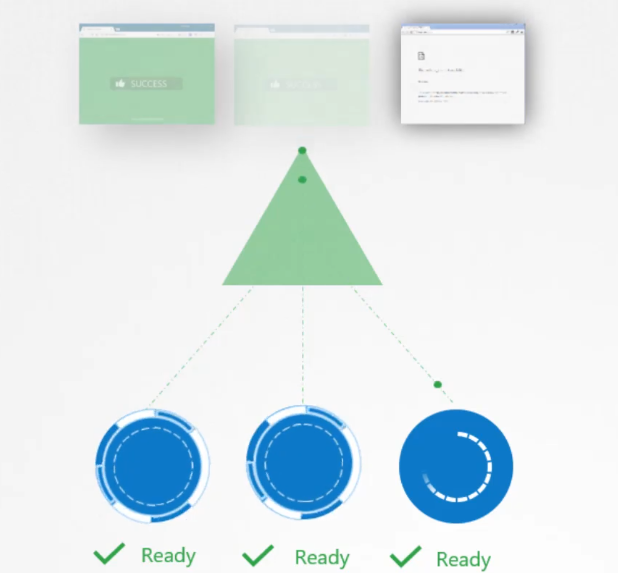
Kubernetes may show a pod as “ready” even though the application inside isn’t fully functional yet. This happens because different applications take varying amounts of time to start up, and the “ready” status doesn’t always reflect the actual readiness of the application. It’s crucial to understand this when managing applications in Kubernetes to avoid prematurely routing traffic to a pod that isn’t fully prepared to serve users.
Take Jenkins as an example. It takes about 10 to 15 seconds for the server to initialize before users can access the web interface. Even after that, it needs a few more seconds to warm up and be fully functional. However, during this time, Kubernetes may still show the pod as “ready,” even though the application isn’t quite there yet.
- Shows whether the container is ready to handle traffic.
- If a container becomes “unready,” it might become ready again soon.
- If the readiness probe fails:
- The container is not killed.
- If the pod is part of a service, it’s temporarily removed.
- It’s added back as soon as the readiness probe succeeds.

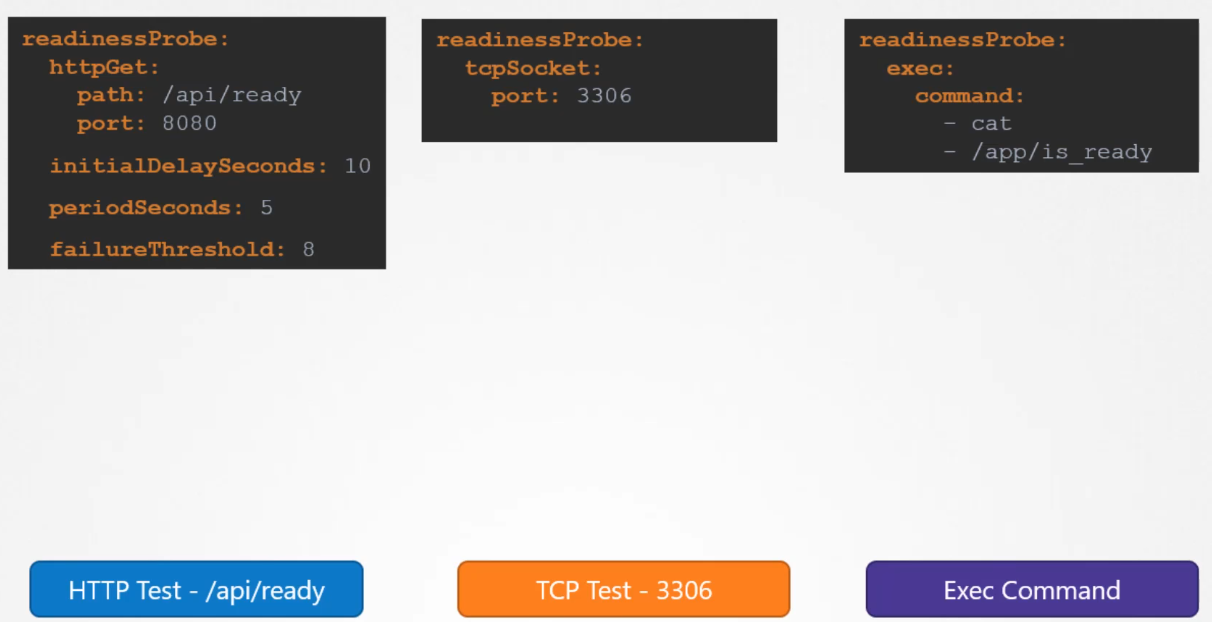
Probes are used to check access to Pods and are included in the Pod specification.
A readinessProbe ensures that a Pod isn’t marked as available until it passes the probe.
If the readiness probe is not properly set up, it can lead to service disruption for some users.
Liveness probes
The livenessProbe is used to continue checking the availability of a Pod.
Scenario: let’s say our nginx web server is running so it’s healthy but the static files cannot be found. So the end user is not going to see the actual application. But the NGINX pod status is running healthy. Because the nginx is working as it should and it’s our application that is missing files. Liveness helps us to detect if the actual application is also behaving the way it should.
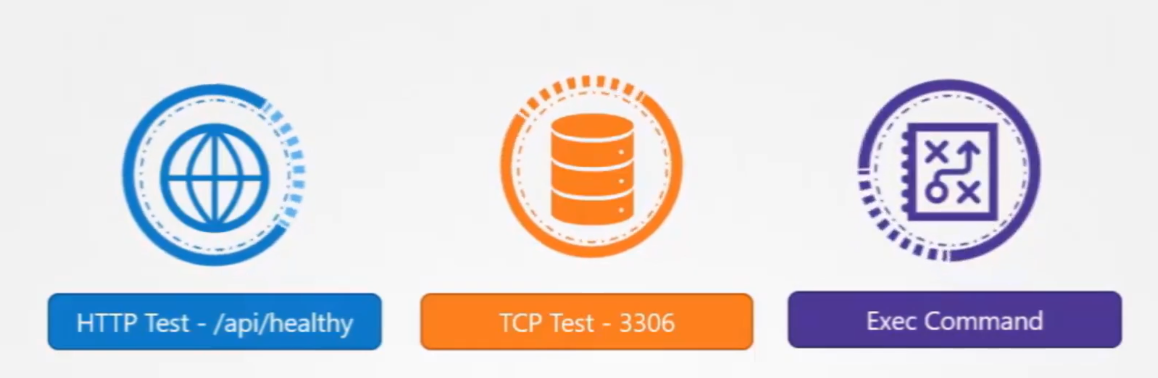
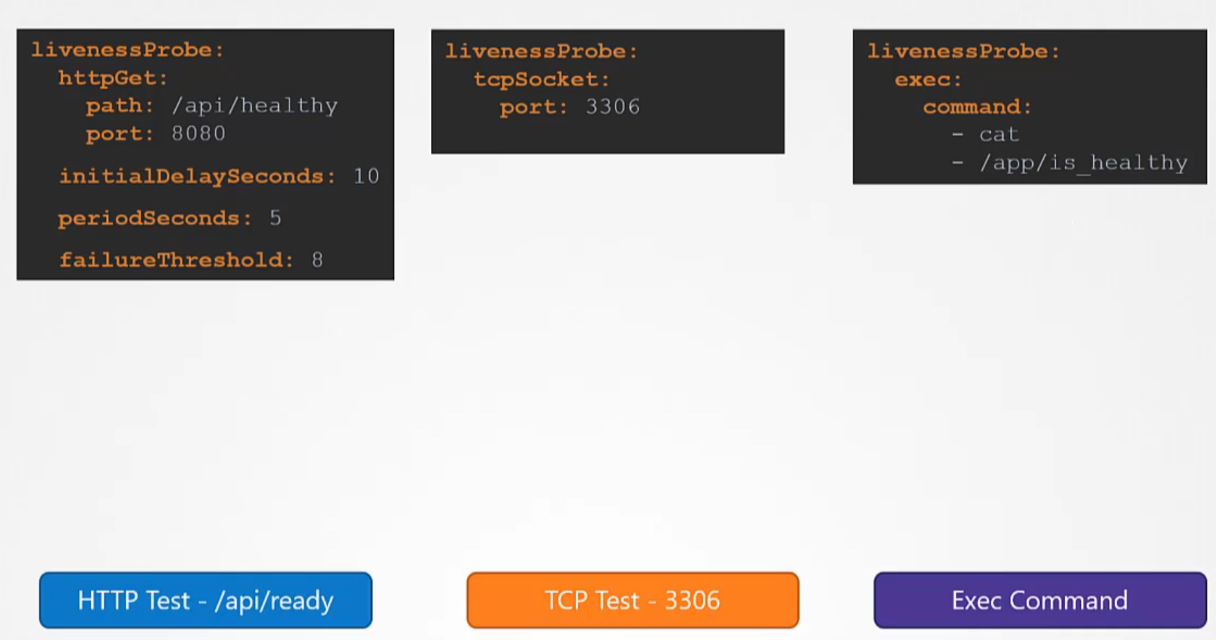
Indicates whether the container is alive or dead:
- A dead container cannot be revived.
- If the liveness probe fails, the container is killed (ensuring it’s truly dead; no zombies or undead!).
- What happens next depends on the pod’s
restartPolicy:- Never: The container is not restarted.
- OnFailure or Always: The container is restarted.
When to use readiness
- To show failure due to external issues:
- Database is down or unreachable.
- Required authentication or other backend service is unavailable.
- To show temporary failure or unavailability:
- The application can handle only N parallel connections.
- The runtime is busy with tasks like garbage collection or initial data loading.
When to use a liveness probe
- To indicate failures that can’t be recovered:
- Deadlocks (leading to all requests timing out).
- Internal corruption (resulting in all requests generating errors).
- Any situation where the response is simply to “restart or reboot it.”
Use liveness for issues that could/can be fixed by restart. Do not use liveness probes for issues that can’t be fixed by a restart.
- Otherwise, we might restart our pods unnecessarily, creating unnecessary load.
Startup probe
The startupProbe was introduced for legacy applications that require additional startup time on first initialization.
- Kubernetes 1.16 introduces a third type of probe:
startupProbe(it is inalphain Kubernetes 1.16) - It can be used to indicate “container not ready yet”
- process is still starting
- loading external data, priming caches
- Before Kubernetes 1.16, we had to use the
initialDelaySecondsparameter (available for both liveness and readiness probes) initialDelaySecondsis a rigid delay (always wait X before running probes)startupProbeworks better when a container start time can vary a lot
Benefits of probe
- Rolling updates proceed when containers are actually ready (as opposed to merely started)
- Containers in a broken state get killed and restarted (instead of serving errors or timeouts)
- Unavailable backends get removed from load balancer rotation (thus improving response times across the board)
- If a probe is not defined, it’s as if there was an “always successful” probe
Should probes check container Dependencies?
- A HTTP/TCP probe can’t check an external dependency
- But a HTTP URL could kick off code to validate a remote dependency
- If a web server depends on a database to function, and the database is down:
- the web server’s liveness probe should succeed
- the web server’s readiness probe should fail
- Same thing for any hard dependency (without which the container can’t work) Do not fail liveness probes for problems that are external to the container
Health checks for workers
(In that context, worker = process that doesn’t accept connections)
- Readiness isn’t useful (because workers aren’t backends for a service)
- Liveness may help us restart a broken worker, but how can we check it?
- Embedding an HTTP server is a (potentially expensive) option
- Using a “lease” file can be relatively easy:
- touch a file during each iteration of the main loop
- check the timestamp of that file from an exec probe
- Writing logs (and checking them from the probe) also works
Questions to ask before adding health checks
- Do we want liveness, readiness, both? (sometimes, we can use the same check, but with different failure thresholds)
- Do we have existing HTTP endpoints that we can use?
- Do we need to add new endpoints, or perhaps use something else?
- Are our health checks likely to use resources and/or slow down the app?
- Do they depend on additional services? (this can be particularly tricky)